> For the complete documentation index, see [llms.txt](https://uc-genie.gitbook.io/guide/llms.txt). Markdown versions of documentation pages are available by appending `.md` to page URLs; this page is available as [Markdown](https://uc-genie.gitbook.io/guide/how-to-inject-wuthering-waves.md).

# How to inject Wuthering Waves?

1. Download **UC Genie.exe** (Please download from the address provided in the order email)
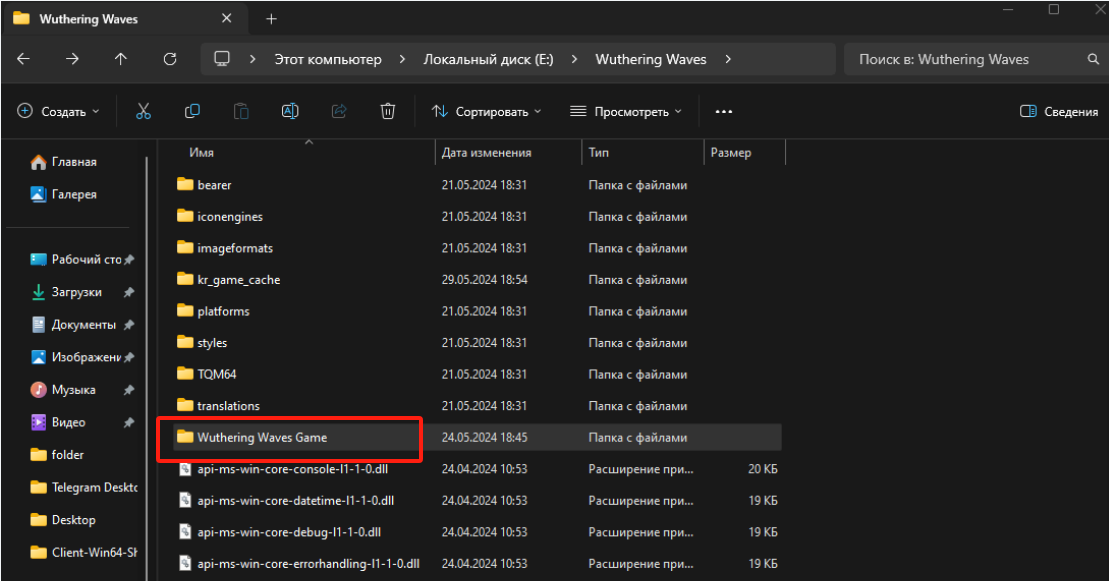
2. Open the root folder of the game&#x20;

   <figure><img src="https://3756637648-files.gitbook.io/~/files/v0/b/gitbook-x-prod.appspot.com/o/spaces%2FcwWFlNAE0FEAiabPd83S%2Fuploads%2FbRIxpawJAHBZk9wvYF0U%2Fimage.png?alt=media&amp;token=3e7f32d4-4fdd-426c-a920-59e6f446c50b" alt=""><figcaption></figcaption></figure>
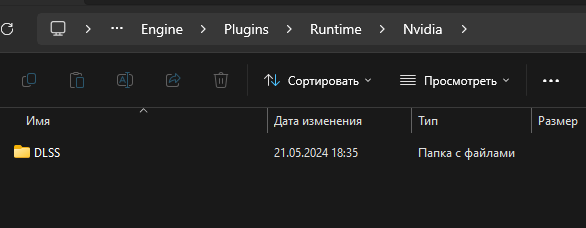
3. Locate and <mark style="color:red;">Delete</mark> the entire "<mark style="color:red;">Streamline</mark>" folder from the specified directory path.                               【 Wuthering Waves\Wuthering Waves Game\Engine\Plugins\Runtime\Nvidia\\<mark style="color:red;">Streamline</mark>】

   <div align="left"><figure><img src="https://3756637648-files.gitbook.io/~/files/v0/b/gitbook-x-prod.appspot.com/o/spaces%2FcwWFlNAE0FEAiabPd83S%2Fuploads%2FiSe305ZAxiZCSD8U9wTP%2Fimage.png?alt=media&amp;token=6565b5d8-7647-40ac-ba82-41798d935457" alt=""><figcaption></figcaption></figure></div>
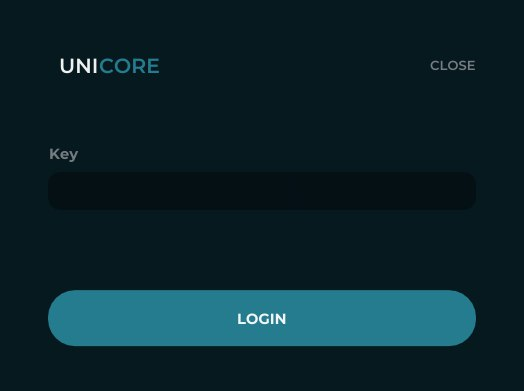
4. Open UC Genie and authorize with the key

   <div align="left"><figure><img src="https://3756637648-files.gitbook.io/~/files/v0/b/gitbook-x-prod.appspot.com/o/spaces%2FcwWFlNAE0FEAiabPd83S%2Fuploads%2Fnhy3H3D2DRyq7OHAvb8W%2Fimage.png?alt=media&amp;token=80d9971d-ab4a-41ec-9dc4-d1bef5795758" alt=""><figcaption></figcaption></figure></div>
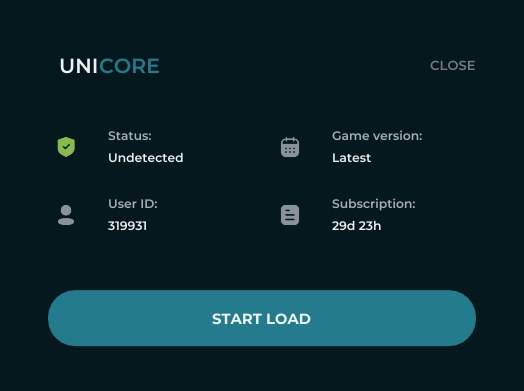
5. Click “Start Load” button

   <div align="left"><figure><img src="https://3756637648-files.gitbook.io/~/files/v0/b/gitbook-x-prod.appspot.com/o/spaces%2FcwWFlNAE0FEAiabPd83S%2Fuploads%2FElrCLTcymGcoJkDFHb12%2Fimage.png?alt=media&amp;token=2c502a93-9dae-4cb4-a8ed-a09309ba9376" alt=""><figcaption></figcaption></figure></div>
6. Start the game and press <mark style="color:red;">**“F2”**</mark> in the main menu to launch product

   <div align="left"><figure><img src="https://3756637648-files.gitbook.io/~/files/v0/b/gitbook-x-prod.appspot.com/o/spaces%2FcwWFlNAE0FEAiabPd83S%2Fuploads%2FSvxjCkXCDa6bSSa080z2%2Fimage.png?alt=media&amp;token=7e33d121-3cf5-4d15-82a2-28e094055380" alt=""><figcaption></figcaption></figure></div>
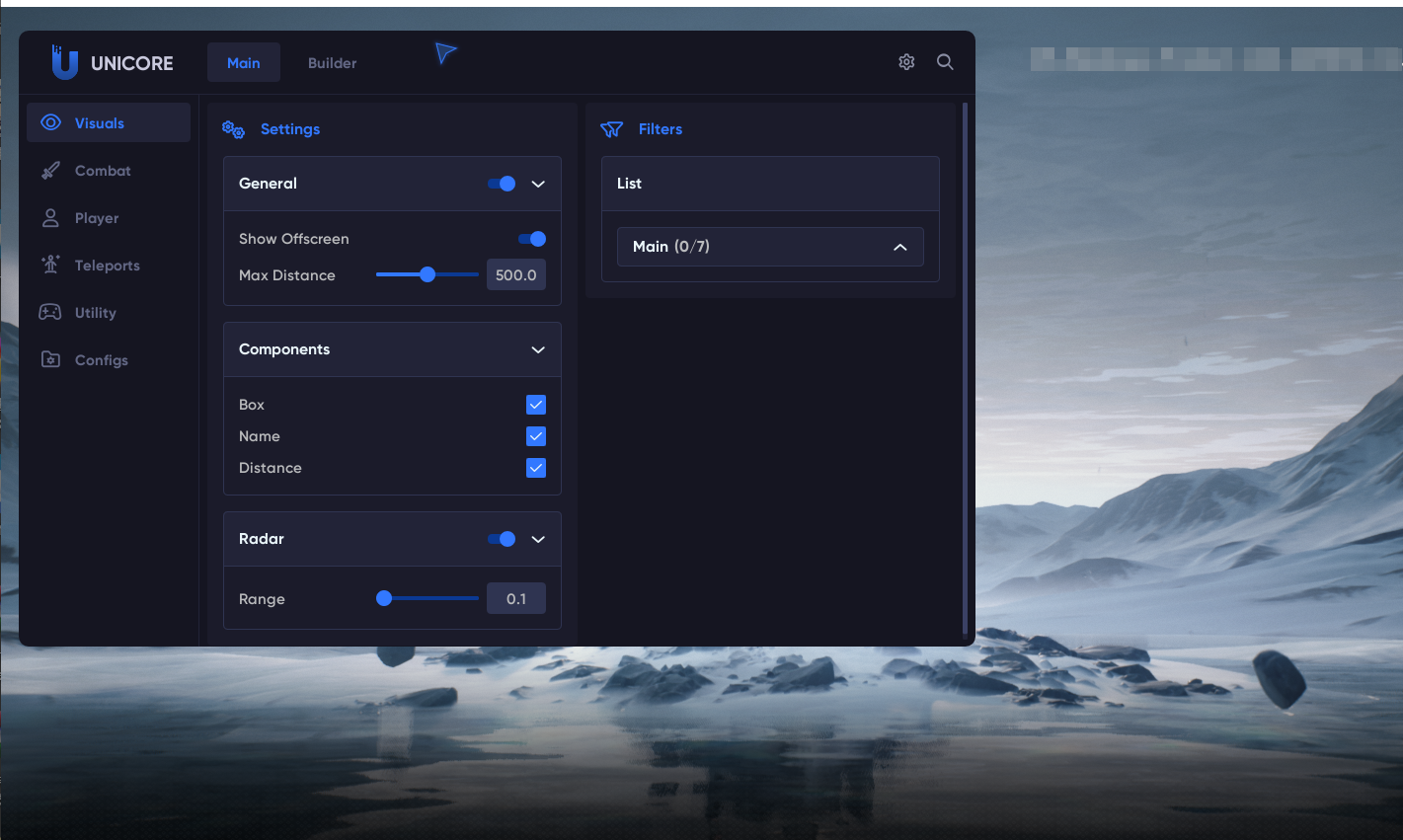
7. Use <mark style="color:red;">**"insert"**</mark> button to open / close menu.

   [<br>](https://unicore-3.gitbook.io/instruction-en/unicore-gta-v/how-to-inject-gta-v/all-features-list)
   <br>

   <br>

<br>